Replay Sports walkthrough

Everything your team needs in one app.

Replay Sports connects coaches, athletes, and parents around team management, communication, training, and recruiting tools. Scroll through the workflow to see how the app fits together.

Download on iOS Android Coming Soon
Coaches Manage teams and assign development work.
Athletes Review film, complete workouts, and build reels.
Parents Stay connected with updates and direct messaging.
Cloud-first Keep footage organized in the app, not on devices.
01 / 11
01

Workouts

Coaches can create and assign workouts to players, track completion, and monitor progress over time.

Template screen: Workout library Template screen: Player completion status
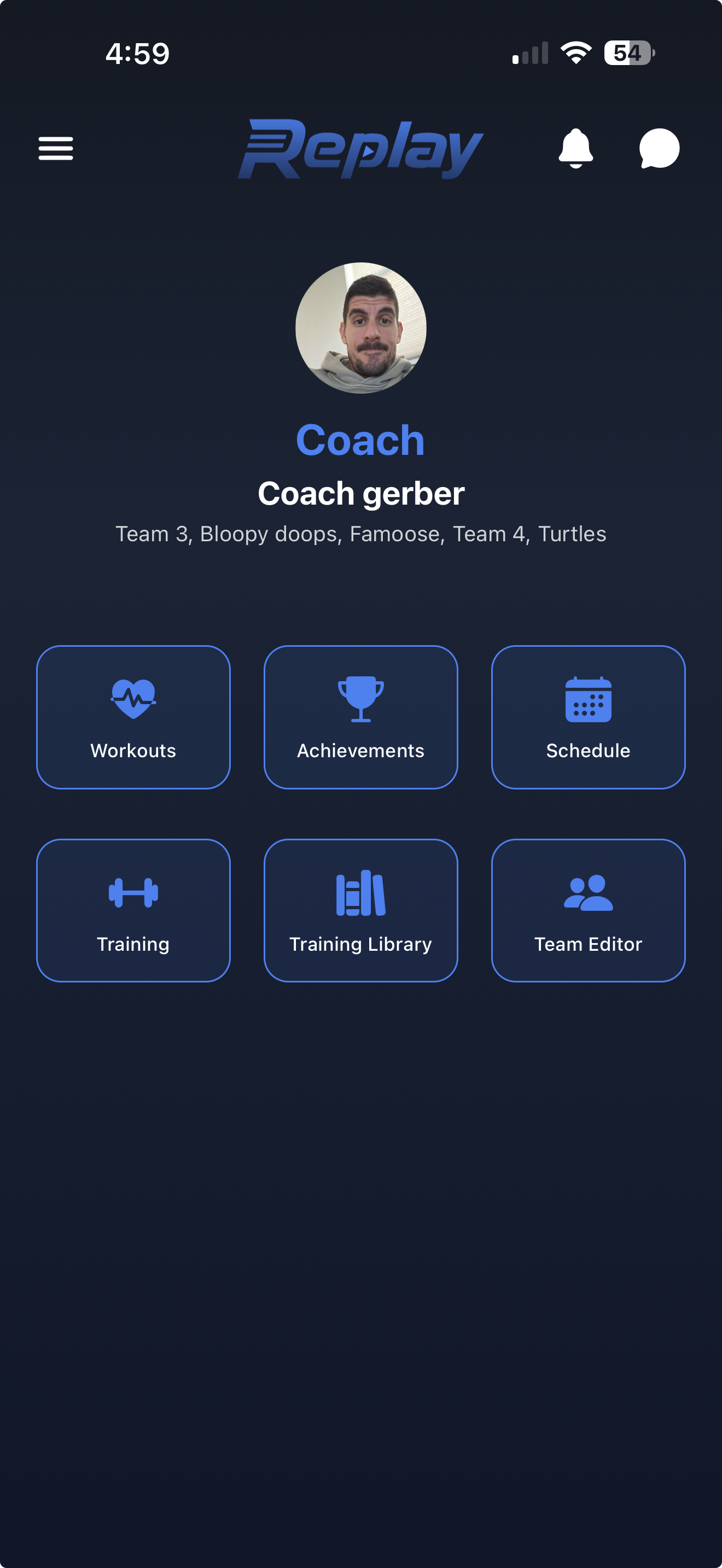
Placeholder for the workouts screen
Workout assignment placeholder
Placeholder for workout progress tracking
Completion tracking placeholder
02

Achievements

Coaches can set goals for players tied to specific metrics. Players work toward milestones and coaches can track who is hitting their targets.

Template screen: Goal dashboard Template screen: Milestone progress
Placeholder for the achievements screen
Achievement goals placeholder
Placeholder for achievement tracking metrics
Milestone tracking placeholder
03

Schedule

Keep parents and players aligned on training sessions, games, and events. Everyone stays on the same page without needing a separate calendar app.

Template screen: Team schedule Template screen: Event detail
Placeholder for the schedule screen
Calendar view placeholder
Placeholder for schedule event details
Event detail placeholder
04

Training

Run in-person or remote training sessions with athletes. Leave detailed timestamped notes on video, record instructional demos, assign workouts based on what you see in the film, and draw or annotate directly on the video.

Template screen: Training session view Template screen: Video annotation tools
Placeholder for the training screen
Training session placeholder
Placeholder for annotated training video
Video notes placeholder
05

Training Library

Coaches build a personal library of training videos organized into folders. Choose which videos to assign to specific athletes based on what they need to work on.

Template screen: Folder library Template screen: Assignment workflow
Placeholder for the training library screen
Library folders placeholder
Placeholder for assigning library content
Video assignment placeholder
06

Team Editor

Coaches can manage team rosters, organize athletes and parents, invite new members, and contact anyone on the team directly.

Template screen: Team roster Template screen: Member management
Placeholder for the team editor screen
Roster editor placeholder
Placeholder for team invitations and contacts
Member tools placeholder
07

Showcase

Players create a shareable profile page with a bio, stats, and highlight clips. Share it with family, friends, and recruiters through a single link. Generate AI-assisted highlight reels from your best moments.

Template screen: Showcase profile Template screen: Reel generation
Placeholder for the showcase profile screen
Player profile placeholder
Placeholder for AI-assisted highlight reel generation
Highlight reel placeholder
08

In-App Messaging

A full messaging experience built into the app. Individual chats, team chats, group chats, and parent-specific conversations all live in one place.

Template screen: Conversation list Template screen: Team chat
Placeholder for in-app messaging inbox
Message inbox placeholder
Placeholder for an in-app team chat
Chat thread placeholder
09

Parent Profiles & Minor Management

Parents can create and manage their child's profile, control what is visible, link multiple children, and stay connected to coaches and team activity. Parents have their own role with appropriate access and visibility.

Template screen: Parent dashboard Template screen: Child profile controls
Placeholder for parent profile tools
Parent account placeholder
Placeholder for minor profile management
Profile controls placeholder
10

AI Coach

Athletes can upload video and get AI-powered analysis and feedback on their own, with no team or coach required. It is a personal training tool available anytime.

Template screen: Upload flow Template screen: AI analysis results
Placeholder for AI Coach upload flow
AI Coach upload placeholder
Placeholder for AI Coach analysis feedback
AI feedback placeholder
11

Cloud Video Storage

All video is stored securely in the cloud, not on anyone's personal phone. Coaches and athletes can access their film from any device without worrying about storage space or losing footage.

Template screen: Cloud library access Template screen: Cross-device playback
Placeholder for cloud video storage access
Cloud film library placeholder
Placeholder for cloud video playback across devices
Cross-device playback placeholder

Ready to get started?

Download Replay Sports on iOS now, or reach out if you want help setting up your team.